Inventory
Products, services, prices, and stock in one table.
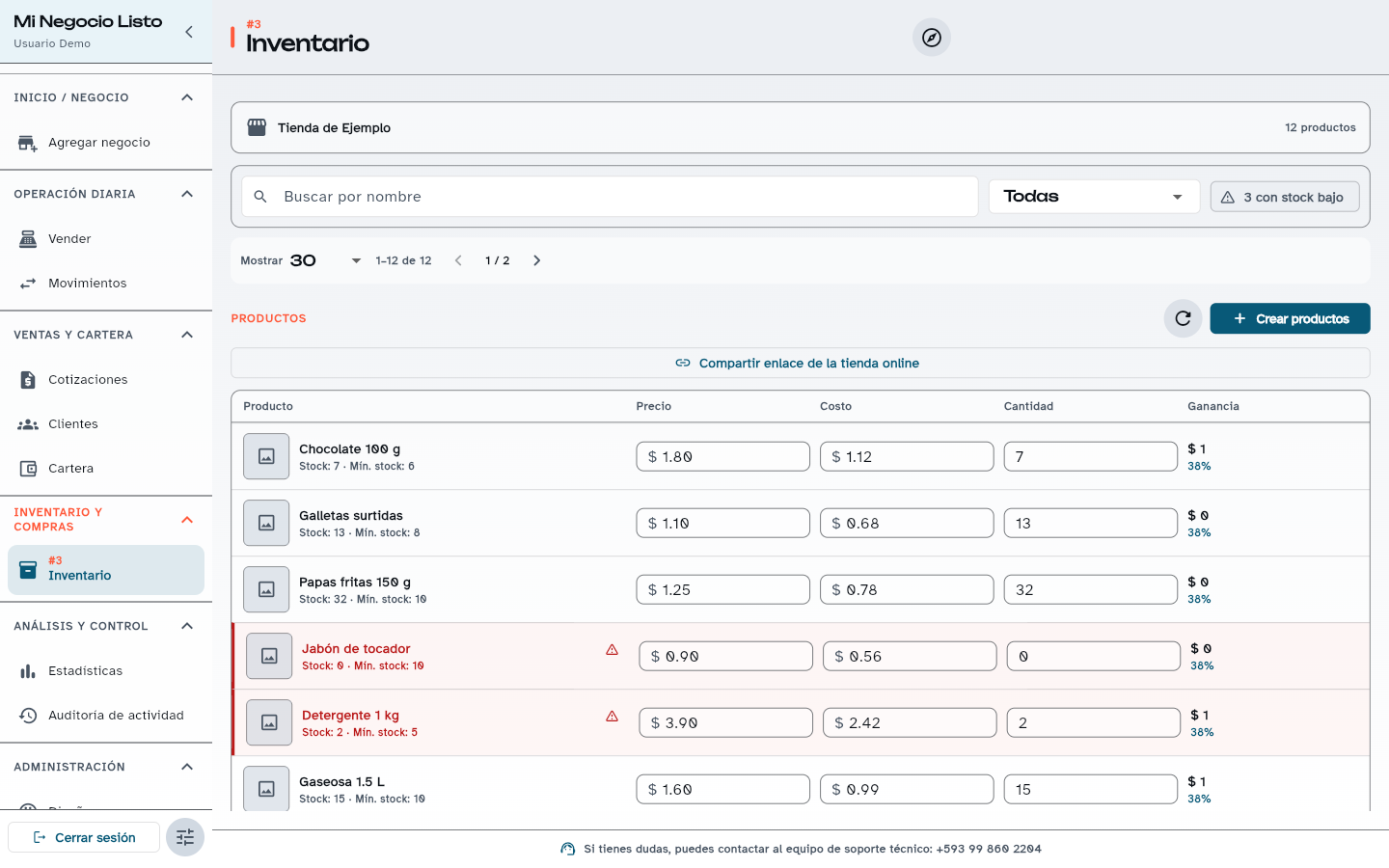
Record physical products, food, or services with price, cost, category, SKU, variants, and images. The table shows profit per product and flags anything below its minimum.
The problem
Without an up-to-date inventory you find out something ran out when the customer is already asking for it, and you do not know your margin on each product.
How it works
- 01
Create categories and add your products or services.
- 02
Set price, cost, available stock, and minimum stock.
- 03
Edit prices and quantities right in the table, or import a CSV file.
Practical benefits
- Low-stock filter and a badge in the menu.
- Automatic SKU if you do not have your own codes.
- Food and services do not require stock.
- Preview before bulk importing.
Included from the plan
Free
USD 0/mo
The Free plan allows up to 10 active products or services. All-inclusive has no limit and includes bulk import.
See plansHow to try it
Create your free account: every new business gets 30 days with every module and no limits.
Related questions
Yes, with bulk import in All-inclusive: download the template, fill it in, and upload the CSV file. You see a preview before importing.
Yes. You set a minimum stock per product; Inventory highlights the ones below it and, if you enable it, the business receives a WhatsApp alert when a product crosses the minimum after a sale.
During the 30-day trial and with All-inclusive there is no limit. On the Free plan you can have up to 10 active products or services.
Open your register today.
Create your free account and record your first sale in minutes. If you would rather get guidance for your business type and number of stores, message us.